
Best Music Apps for Android Auto in 2026: Top Streaming & Offline Music Apps
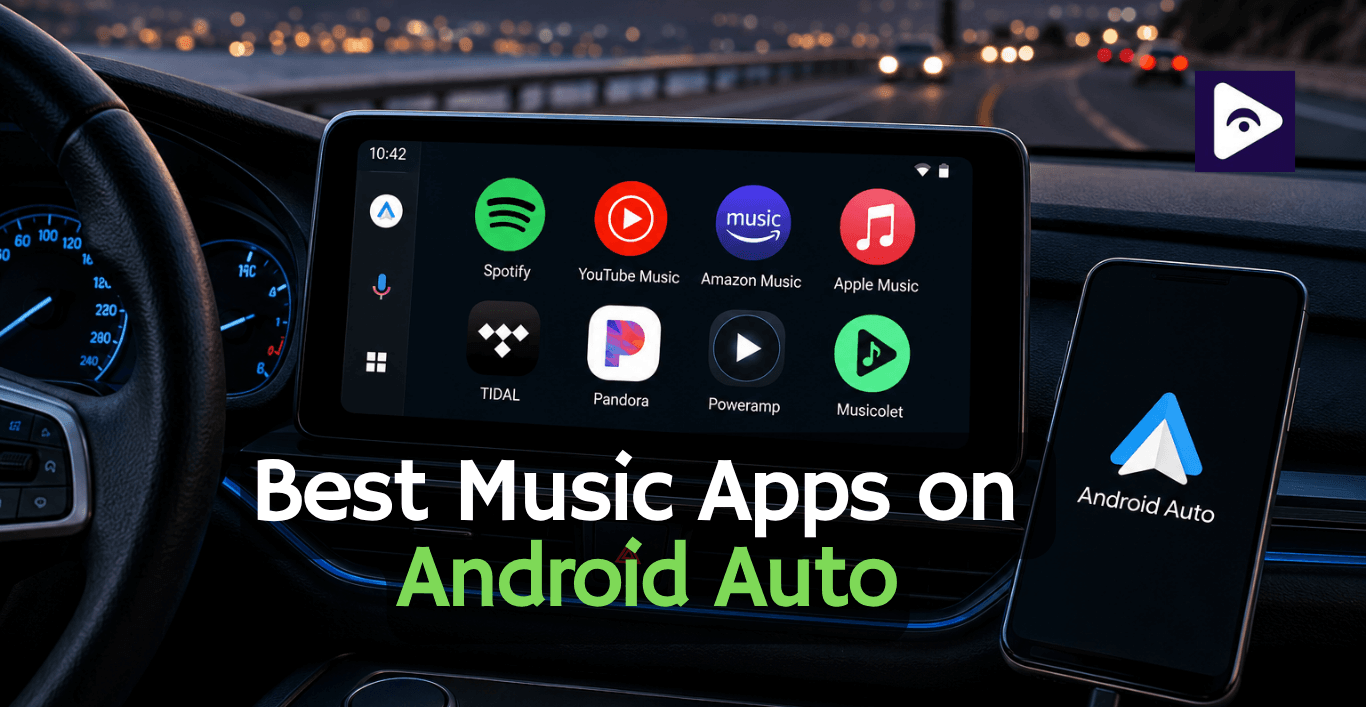
The right music app can make a difference when you are driving. A good music app, for Android Auto should get going quickly, have controls that work nicely with voice commands and just keep playing without bothering you.
When you try out some music streaming services and music players that you can use offline with Android Auto. Music apps are better for daily streaming, some offer better sound quality, and others are perfect when internet access is unavailable.
This guide compares the best music apps for Android Auto in 2026, including streaming services, free options, offline players, and high quality audio apps to help you choose the right option for your car.
Best Overall Music Apps for Android Auto
These apps provide the best android auto apps combination of streaming quality, music library, Android Auto support, and daily usability.
Spotify - Best Overall Music App for Android Auto
Spotify remains the easiest recommendation for most Android Auto users.
The biggest advantage is its balance.Spotify has a collection of songs it gives you smart ideas for music it has podcasts and it makes playlists for you. It also has one of the easiest to use interfaces for Android Auto.
Spotify stands out because it requires very little interaction. Recently played playlists appear quickly, and Google Assistant usually understands requests without problems during daily driving.
Key Features
- Large music library.
- Personalized playlists.
- Podcasts and audiobooks.
- Offline downloads with Premium.
- Google Assistant support.
- Excellent Android Auto interface.
Pros
✅ Best music discovery.
✅ Fast loading.
✅ Simple car controls.
✅ Great playlist recommendations.
Cons
❌ Ads in free version.
❌ HiFi audio availability is limited.
Best for: Drivers who want the complete Android Auto music experience.
2. YouTube Music - Best for YouTube Premium Users
YouTube Music is the best choice for users who already subscribed for YouTube Premium.
YouTube Music has a lot of music that you can not find on music streaming services. It has the songs, live performances, covers, remixes and rare versions of songs.
Also the YouTube Music app works well with Android Auto.
This makes it easy to keep listening to YouTube Music when you get in your car after you were listening to it on your phone.
Key Features
- YouTube Premium integration.
- Official songs and live versions.
- Personalized mixes.
- Offline downloads.
- Large music catalog.
Pros
✅ Huge variety of content.
✅ Great recommendations.
✅ Includes YouTube music library.
Cons
❌ Free version has limitations.
❌ Playlist management could improve.
Best for: Users who already use YouTube regularly.
Apple Music - Best for Lossless Audio
Apple Music is no longer limited to Apple devices. The Android version works smoothly with Android Auto and offers one of the strongest audio quality options available.
Its biggest advantage is sound quality. With Lossless Audio and Dolby Atmos support, it is a strong option for drivers with premium car sound systems.
Key Features
- Lossless audio.
- Dolby Atmos.
- Large music library.
- Offline downloads.
- Cross device syncing.
Pros
✅ Excellent audio quality.
✅ Premium music catalog.
✅ Reliable Android Auto support.
Cons
❌ No permanent free version.
Best for: Users who prioritize sound quality.
Amazon Music - Best Value for Prime Members
Amazon Music is a choice for users who already use Amazon. Amazon Music Unlimited is even better because it has songs and the sound is really clear.
When you use Android Auto it is easy to find the music you want like your playlists and albums. You can also listen to music you have already downloaded from Amazon Music.
Key Features
- Prime membership integration.
- HD and Ultra HD audio.
- Offline playback.
- Alexa support.
Pros
✅ Good value.
✅ High quality audio options.
✅ Works well with Android Auto.
Cons
❌ Recommendations are weaker than Spotify.
❌ Interface can feel busy.
Best for: Amazon Prime users.
Pandora - Best Personalized Radio App
Pandora is different from traditional streaming apps. Instead of building playlists manually, it focuses on personalized radio stations.
This makes it a good choice for drivers who want to start music and let the app handle song selection.
Key Features
- Artist radio stations.
- Personalized recommendations.
- Free listening option.
- Android Auto support.
Pros
✅ Simple driving experience.
✅ Great music discovery.
✅ Easy controls.
Cons
❌ Smaller global availability.
❌ Offline listening requires Premium.
Best for: Users who prefer radio style listening.
Explore more: Samsung Music on Android Auto
Best Apple Music Alternatives on Android Auto
| App | Best For | Android Auto | Offline Music | Free Version | Why Choose It Instead? |
|---|---|---|---|---|---|
| Spotify | Best Overall | ✅ | Premium | ✅ | Excellent playlists, music discovery, podcasts, and smooth Android Auto experience. |
| YouTube Music | YouTube Premium Users | ✅ | Premium | Limited | Access to official songs, live performances, remixes, and YouTube content. |
| Amazon Music | Prime Members | ✅ | ✅ | Limited | Great value if you already subscribe to Amazon Prime with HD audio support. |
| TIDAL | Hi-Res Audio | ✅ | ✅ | Trial | Perfect for drivers who want lossless audio and premium sound quality. |
| Deezer | Balanced Streaming | ✅ | ✅ | Trial | Offers FLAC audio, personalized Flow recommendations, and offline listening. |
Best Free Music Apps for Android Auto
Not every driver wants another monthly subscription. These apps are useful for free listening.
Spotify Free
The best free streaming option for most users. It provides access to millions of songs but includes ads and playback limitations.
Pandora
Pandora works differently from traditional streaming apps. It creates radio stations based on favorite artists and songs.
Musicolet
Musicolet is a free music player, for people who have music files downloaded. You do not need to create an account to use it. It works when you do not have internet access.
VLC Media Player
VLC is a reliable free option for playing local music files. It supports many formats and does not include advertisements.
Streaming is convenient, but it depends on your internet connection. During long road trips, poor signal areas can interrupt playback.
Offline music players solve this problem by storing your music directly on your device.
Best Offline Music Apps for Android Auto
1. Poweramp - Best Offline Music Player for Android Auto
Poweramp is a music player. You can use Poweramp even when you are not connected to the internet on your Android.
Poweramp has lots of features that help you control the sound of your music which's really good, for people who love listening to music and want Poweramp to make their music sound great.
Features
- FLAC and high-resolution audio support
- Advanced equalizer
- Gapless playback
- Bass and treble controls
- Large music library support
Pros
✅ Excellent sound quality
✅ Works without internet
✅ Highly customizable
Cons
❌ Paid license required after trial
❌ Requires your own music files
Best for: The best offline Android music player for car use.
2. Musicolet - Best Free Offline Player
Musicolet is great for people who just want a music player, without extra stuff.
It opens fast, takes up space and does not store extra information.
Best Features
- Offline playback
- No ads
- Multiple queues
- Lyrics support
- Folder browsing
Best for: Users who want a simple free music player.
3. Samsung Music - Best for Galaxy Users
Samsung Music is good for people who have Samsung Galaxy phones and store their music on the device.
It has a look and works well with Samsung phones.
The app is easy to use for Samsung Galaxy owners who store music locally.
Features
- Local music playback
- Playlist management
- Equalizer support
- Folder organization
Best for: Samsung smartphone users.
4. VLC - Best Multi Format Offline Player
VLC is a reliable option if your music collection contains different file formats.
It may not have the advanced design of Poweramp, but it is free and extremely compatible.
Best for: Users with large mixed-format music libraries.
Best Music Apps for High Quality Audio
| Music App | Audio Quality | Offline Playback | Android Auto | Best For | Why Choose It? |
|---|---|---|---|---|---|
| TIDAL | HiFi & FLAC | ✅ | ✅ | Audiophiles | Delivers lossless audio with exceptional detail, making it ideal for premium car audio systems. |
| Apple Music | Lossless & Dolby Atmos | ✅ | ✅ | Premium Streaming | Supports high-quality Lossless Audio and Dolby Atmos for compatible devices. |
| Amazon Music | HD & Ultra HD | ✅ | ✅ | Prime Members | Offers HD and Ultra HD streaming with excellent value for Amazon Prime users. |
| Deezer | FLAC Audio | ✅ | ✅ | Balanced Streaming | Combines FLAC-quality audio with personalized recommendations and offline playback. |
| Poweramp | Hi-Res Local Audio | ✅ | ✅ | Offline Music Library | Advanced equalizer, Hi-Res audio support, and excellent playback for local music files. |
How to Use Music Apps With Fermata Auto
Fermata Auto is an Android Auto video streaming enable tool that expands Android Auto media capabilities and allows users to access additional entertainment options on their car display.
Using Them Together
A typical setup can include:
- Install preferred music apps such as Spotify, YouTube Music, or Apple Music.
- Connect the phone to Android Auto.
- Use music apps for songs, playlists, and streaming.
- Use Fermata Auto when additional media functionality is needed.
This combination gives Android Auto users more flexibility without replacing dedicated music applications.
Android Auto Music App Comparison Table
| Music App | Best For | Android Auto | Offline Music | Free Version | Audio Quality |
|---|---|---|---|---|---|
| Spotify | Overall streaming | ✅ | Premium | ✅ | High |
| YouTube Music | YouTube Premium users | ✅ | Premium | Limited | High |
| Apple Music | Lossless streaming | ✅ | ✅ | Trial | Lossless |
| Amazon Music | Amazon Prime members | ✅ | ✅ | Limited | HD / Ultra HD |
| Pandora | Personalized radio | ✅ | Premium | ✅ | Standard |
| TIDAL | HiFi audio | ✅ | ✅ | Trial | HiFi / FLAC |
| Poweramp | Offline music library | ✅ | ✅ | Trial | Hi-Res |
| Musicolet | Free offline player | ✅ | ✅ | ✅ | Local Files |
| VLC Media Player | Multiple audio formats | ✅ | ✅ | ✅ | Local Files |
Common Issues and Fixes on Music Apps
| Issue | Quick Fix |
|---|---|
| Music app not showing in Android Auto | Update the app, restart your phone, and enable the app in Android Auto settings. |
| Music keeps disconnecting | Use a high-quality USB cable, reconnect Bluetooth, or restart Android Auto. |
| Offline music won't play | Check that your playlists or songs are downloaded and you're signed in to the correct account. |
| Google Assistant can't find songs | Set your preferred music app as the default and ensure microphone permissions are enabled. |
| Poor audio quality | Increase the streaming quality in the app and use a wired connection if available. |
| Music app freezes or crashes | Update the app, clear its cache, or reinstall it if the issue continues. |
Frequently Asked Questions
- What is the best music app for Android Auto?
Spotify is the best choice. It works well with Android Auto. They have a music library.
- Which Android music player is best for a car?
Poweramp is an Android music player for a car because it lets you play music even when you do not have internet access and it supports high quality audio files.
- Does Apple Music work with Android Auto?
Yes. Apple Music works with Android Auto. You can stream music and download music. Even use voice commands with Apple Music on Android Auto.
- What is the free music app for Android Auto?
If you do not want to pay for a music app Spotify Free is an option for streaming music. And also Musicolet and VLC are choices.
- Which music app has the audio quality?
If you want the sound you should try TIDAL, Apple Music, Amazon Music or Deezer. These music apps have some of the audio quality options available.
- What is the best offline music player for Android Auto?
Poweramp is one of the choices for offline music on Android Auto because it has really good audio controls and it supports a lot of different music formats.
- Can YouTube Music be used with Android Auto?
Yes. YouTube Music can be used with Android Auto. It works well with the Google Assistant on Android Auto.
- Is Amazon Music good for Android Auto?
Yes. Amazon Music provides good Android Auto compatibility, offline downloads, and HD audio options.
- What are the best Apple Music alternatives on Android Auto?
The best Apple Music alternatives on Android Auto are Spotify, YouTube Music, Amazon Music, TIDAL and Deezer.
- What is Fermata Auto?
Fermata Auto is a tool that lets you stream videos on Android Auto.
![How to Add WhatsApp on Android Auto? [2026 Guide]](/content/images/size/w600/2026/08/whatsapp.png)