
What is Fermata Control? Fermata Auto vs Fermata Control (2026 Guide)

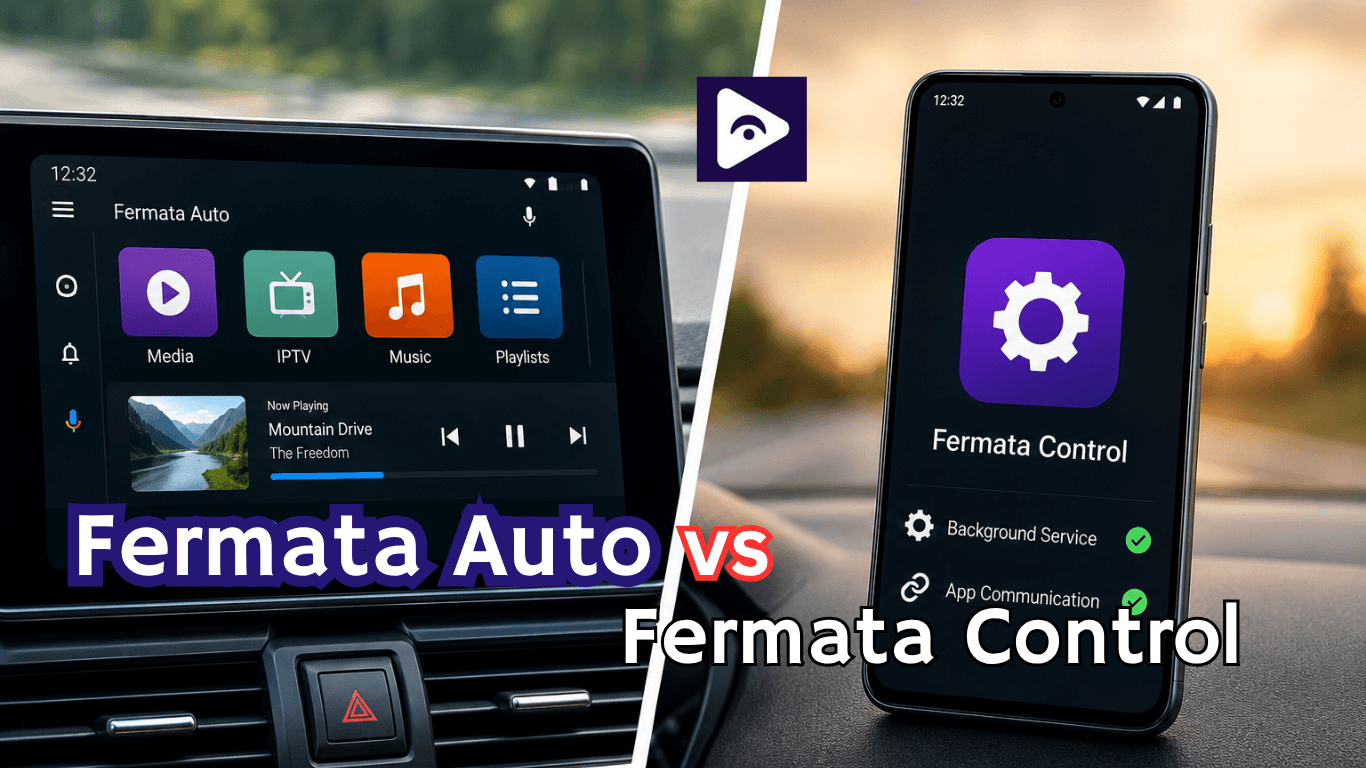
If you have searched for Fermata Control and found different apps, you are probably wondering what it actually does and how it is connected to Fermata Auto. Many Android Auto users see the name “Fermata Control” and assume it is another version of Fermata Auto, but they serve different purposes.
Fermata Control is a companion style tool designed to improve how Fermata Auto works by helping users manage certain controls and interactions while using Android Auto. While Fermata Auto is about adding media features to your car's display, Fermata Control is more about control functions and how you interact with it.
Understanding the difference between Fermata Auto Control, Fermata Auto, and Fermata Control Android Auto features can help you choose the right tool and avoid installing the wrong app.
What is Fermata Control?
Fermata Control is an Android utility that works alongside the Fermata ecosystem. It is mainly designed to provide additional control options for users who use Fermata Auto with Android Auto.
Think of it this way:
- Fermata Auto = media access and playback features
- Fermata Control = control support and interaction features
When using Android Auto, Google limits certain types of apps, especially video and advanced media controls. Tools like Fermata Auto expand those possibilities, while Fermata Control helps make the experience easier to manage.
For many users, the purpose of Fermata Control is not to replace Fermata Auto but to support it.
How Does Fermata Control Work?
Fermata Control works by connecting with the Fermata Auto environment and helping users interact with supported functions.
A typical setup may involve:
- Installing the required Fermata applications on an Android phone.
- Giving necessary permissions.
- Connecting the phone to Android Auto.
- Using Fermata Auto features through the car screen.
The features you get may vary depending on your Android version Android Auto version and what device you are using.
Some people look for fermata control 1.7 download because they want that version. Make sure a trusted source is compatible with your device. Older versions might not work well with the Android updates.
Why was Fermata Control created?
Android Auto has strict limitations regarding media playback, screen interaction, and app behavior.
The Fermata development ecosystem includes several components designed to work together:
- Fermata Auto
- Fermata Media
- Fermata Control
Each application serves a different purpose.
Fermata Control was made to help different parts talk to each other better and to give people control over things.
This way of doing things like building with blocks lets developers fix or update specific things, like features without having to change the whole Fermata Control system.
What Does Fermata Control Do?
The exact behavior can vary depending on the Fermata version being used, but common functions include:
Command Management
Fermata Control can help process commands between the phone and Android Auto interface.
Examples include:
- Playback controls
- Pause and resume actions
- Track navigation
- User interaction commands
Background Communication
Many Android Auto apps require background services to maintain stable communication.
Fermata Control can assist with:
- Service management
- Device communication
- Feature coordination
- Permission handling
Improved App Integration
Some advanced Fermata functions rely on multiple components working together.
Fermata Control helps bridge those connections so features operate more smoothly.
What is Fermata Auto?
Fermata Auto is the main app users usually install when they want extra media functionality in Android Auto.
It can provide access to:
- Video playback options.
- Music playback.
- Local media files.
- Browser based media.
- IPTV related features. (depending on setup)
The goal is to make your car entertainment system more flexible.
Fermata Control vs Fermata Auto: What is the difference?
| Feature | Fermata Auto | Fermata Control |
|---|---|---|
| Purpose | Main Android Auto media app | Supporting control component |
| Android Auto Support | Yes | Works with Android Auto through Fermata features |
| Video Playback | Yes | No |
| Music Playback | Yes | No |
| IPTV Support | Yes | No |
| Playlist Management | Yes | Limited |
| Background Functions | Limited | Yes |
| User Interaction | Directly used by users | Runs mainly in the background |
| Required Installation | Usually required | Depends on setup |
| Best For | Media access in Android Auto | App communication and control support |
Is Fermata Control required for Fermata Auto?
For most users, Fermata Control is not the main application. Fermata Auto is usually the core app needed for media features.
However, some setups may benefit from having Fermata Control installed, especially if certain control functions or compatibility requirements apply.
A simple way to understand it:
Want media features? → Start with Fermata Auto.
Need extra control support? → Fermata Control may help.
Installing every related app without knowing the purpose can sometimes create confusion, so it is better to understand what each one does.
Fermata Control Android Auto: Does It Work?
The phrase Fermata Control Android Auto is commonly searched because users want to know if the app directly appears on their car screen.
Android Auto has strict app rules. Not every Android app can appear in the vehicle interface. Apps must follow Android Auto compatibility requirements.
Because of this, Fermata Control may not work exactly like a normal Android Auto app. Its role depends on how it is configured with the rest of the Fermata setup.
If you experience problems:
- Check Android Auto permissions.
- Update Android Auto.
- Restart your phone.
- Reconnect your vehicle.
- Confirm the apps have required access.
How to Set Up Fermata Control With Fermata Auto
A basic setup process looks like this:
Step 1: Install the Required Apps
Install Fermata Auto and Fermata Control from a reliable source.
Avoid random APK websites because modified files can contain security risks or broken versions.
Step 2: Allow Permissions
Android may require permissions such as:
- Storage access
- Display permissions
- Accessibility permissions (depending on the setup)
Without correct permissions, features may not work properly.
Step 3: Connect Android Auto
Connect your phone to your vehicle:
- Using USB cable
- Or wireless Android Auto (if supported)
Wait until Android Auto launches.
Step 4: Test the Features
Open the available Fermata features and check if everything works correctly.
If something does not appear, restart both your phone and car system.
Common Fermata Control Problems and Fixes
Fermata Control Is Not Working
Possible causes:
- Missing permissions.
- Incompatible Android version.
- Outdated app version.
- Android Auto restrictions.
Try:
- Updating apps.
- Rechecking permissions.
- Restarting Android Auto.
- Reinstalling the app.
Fermata Control Does Not Show on Android Auto
Android Auto does not show every installed app.
Check:
- Android Auto settings.
- Developer settings. (if used)
- Connected device permissions.
Fermata Auto Works but Control Does Not
This usually means Fermata Auto is installed correctly but the companion functionality is not configured.
Review:
- App permissions.
- Version compatibility.
- Installation order.
Expert Tips for better Fermata Setup
Based on common Android Auto setups, these tips can prevent many issues:
Keep Everything Updated
Running old versions of Android Auto with new Android versions can create unexpected problems.
Use a Stable Connection
A poor USB cable can cause:
- Connection drops
- Missing apps
- Playback problems
Avoid Installing Unknown APK Versions
The keyword fermata control 1.7 download is searched often, but downloading the wrong APK version may lead to crashes or security issues.
Always match the app version with your device requirements.
Fermata Auto Control 1.7 Download
Many users search for:
- Fermata auto control 1.7 download
- Fermata control download
- Latest fermata control version
Before downloading any version, verify that it matches:
- Your Android version
- Your Android Auto version
- Your Fermata Auto version
Using mismatched versions can lead to crashes, missing features, or installation errors.
Always obtain installation files from trusted sources associated with the Fermata project or recognized Android Auto communities.
Who Should use Fermata Control?
Fermata Control is mainly useful for users who:
- Already use Fermata Auto.
- Want additional control features.
- Need a smoother Android Auto experience.
- Are comfortable adjusting Android permissions.
If you only need basic media playback, Fermata Auto may be enough.
If you are searching for baixar Fermata Control, you can install Fermata Control together with Fermata Auto to access additional controls and features. Always use the latest available version for better compatibility and performance.
Frequently Asked Questions (FAQs) on Fermata Control
- What is Fermata Control?
Fermata Control is an application that helps you with communication and control, for things related to Fermata on your Android Auto. Fermata Control makes it easier to manage these Fermata features.
- Is Fermata Control the same as Fermata Auto?
No. Fermata Auto is the media application, while Fermata Control provides supporting functionality behind the scenes.
- Do I need Fermata Control for Android Auto?
Not always. Some setups work without it. Others need it for features.
- What does Fermata Control do?
It helps manage commands, communication, services, and integration between Fermata components.
- Can I use Fermata Control without Fermata Auto?
In most cases, users install it alongside Fermata Auto rather than using it independently.
- Is Fermata Control free?
Most Fermata related applications are distributed as free Android applications.
- Where can I find Fermata Auto Control 1.7 download?
Use trusted sources and ensure the version matches your Android Auto configuration.
- Does Fermata Control improve Android Auto performance?
It can improve stability and communication when required by your setup.
- Is Fermata Control safe to install?
Yes. When downloaded from trusted and reputable sources.
- What's the biggest difference between Fermata Auto and Fermata Control?
Fermata Auto provides media playback features, while Fermata Control manages supporting functions and communication services.
![How to Add WhatsApp on Android Auto? [2026 Guide]](/content/images/size/w600/2026/08/whatsapp.png)