
Does Fermata Auto Work on iPhone / iOS?

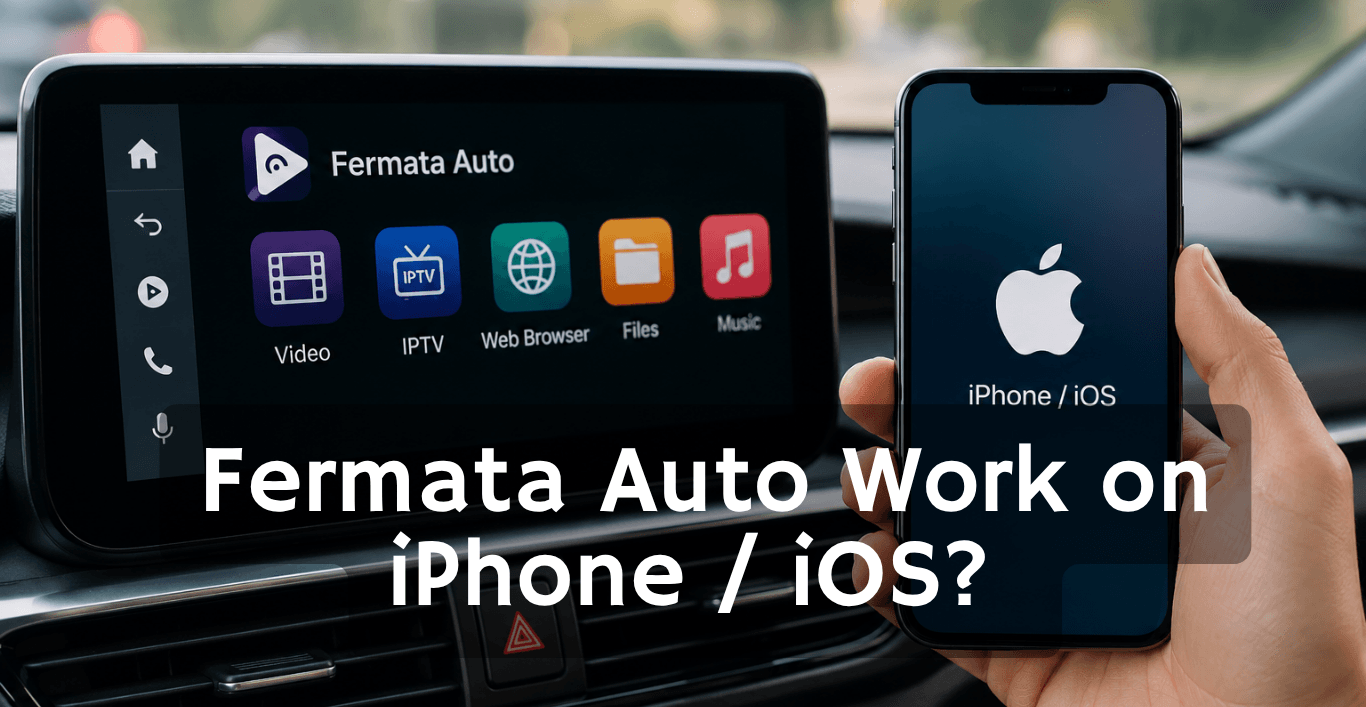
You found Fermata Auto, saw Android users watching videos, using IPTV, and accessing more media in their cars. Now you want the same experience on your iPhone.
The big question is:
Can you install Fermata Auto on iPhone and use it with Apple CarPlay?
The answer is simple: No. Fermata Auto does not officially work on iPhone or iOS.
Fermata Auto was created for Android Auto, not Apple CarPlay. However, that does not mean iPhone users have no options. There are still ways to improve your CarPlay experience depending on what you want to do.
What is Fermata Auto?
Fermata Auto is a media focused application created for Android Auto users. It allows drivers to access additional entertainment features from their Android phone through their car display.
Unlike standard Android Auto apps that are limited by Google’s approved app list, Fermata Auto gives users more flexibility with media playback.
Common Fermata Auto features include:
- Video playback support.
- Music playback.
- IPTV support.
- Web browser access.
- Local media file playback.
- Streaming options.
- Better control over personal media.
Many users install Fermata Auto when they want more than basic navigation and music apps inside their vehicle.
For example, a driver may already use Google Maps and Spotify but wants a way to access personal videos, IPTV playlists, or other media sources from the car screen. Fermata Auto fills that gap for Android Auto users.
Does Fermata Auto Work on iPhone?
No. Fermata Auto does not work on the iPhone.
The app was made for Android devices. This means it needs Android system features and Android Auto integration to work. The Apple iOS environment is different. Apps cannot work with CarPlay in the way they work with Android Auto. The app is, for Android devices. It uses Android system features and Android Auto integration.
If you search for Fermata Auto iPhone download, you may find websites claiming to offer an iOS version. Be careful with these sources because there is no official Fermata Auto iPhone app.
Installing unknown files or unofficial apps can create security risks for your device.
Why is Fermata Auto Not Available on iOS?
The main reason for this is the difference between Android Auto and Apple CarPlay.
Android Auto gives you options to make it your own and work with other apps. Apple CarPlay is more restricted so that it is safe and works well and looks the same every time you use it.
The big difference is that Android Auto has freedom to customize and use other apps while Apple CarPlay is more straightforward.
Fermata Auto relies on Android specific functions, including:
- Android app permissions
- Android Auto APIs
- Android media controls
- Android file access
These features do not directly exist in iOS.
Because of this, a direct Fermata Auto iOS version is not available.
Can You Install Fermata Auto on iPhone?
Here’s the simple reason:
- Fermata Auto is an Android APK app.
- iPhone uses iOS App Store format.
- APK files cannot run on iOS.
- Jailbreaking doesn’t create real CarPlay support.
So even if you find a “download link,” it will not work on the iPhone.
Can You Watch Videos on CarPlay like Fermata Auto?
This is one of the biggest reasons people look for Fermata Auto iOS alternative options.
Unfortunately. Apple CarPlay does not support normal video apps.
You cannot officially use:
on the CarPlay display.
But Apple CarPlay has a third party solution as WheelPal.
Is there a Fermata Auto iOS Alternative?
While there is no direct Fermata Auto iOS version, iPhone users have some alternatives depending on their goal.
- Apple CarPlay Media Apps
For music and podcasts, CarPlay already supports many apps.
You can use:
- Music players
- Podcast apps
- Audiobook apps
- Streaming audio services
These are officially supported and work smoothly.
- Browser Based Streaming Solutions
Some users use browser based solutions through compatible car systems or external devices.
This depends on:
- Your car model
- CarPlay features
- External hardware support
The experience will not be identical to Fermata Auto.
- Wireless CarPlay Adapters
Some adapters add extra features by connecting your iPhone wirelessly.
They may provide:
- Wireless CarPlay
- Additional media functions
- Screen mirroring features
However, these are hardware solutions, not Fermata Auto for iPhone.
You can explore more by CarPlayHacks
Can You Install Fermata Auto on iPhone using an APK?
No.
APK files are Android application packages. iPhones cannot install APK files.
Common file types:
Android: APK
iPhone: IPA
Even converting an APK does not make it work because the app needs Android system features.
If a website claims:
“Download Fermata Auto iPhone APK”
it is not a real installation method.
What should iPhone users do if they want Video Streaming?
If your goal is watching videos or accessing online media in your vehicle, you have a few options.
Option 1: Use a Supported CarPlay Solution
Check if your car supports approved CarPlay entertainment features.
Option 2: Use a Separate Device
Some users use an additional Android device for media features.
For example:
- Android phone.
- Android media box.
- Car entertainment device.
This allows access to Android Auto based apps.
Option 3: Use Your iPhone
Normally For many users, the simplest option is using the iPhone directly:
- Before driving.
- While parked.
Through your car’s built in entertainment system.
Can Fermata Auto come to iOS in the future?
Technically, any developer could create a separate iOS version.
But it would not be a simple conversion.
A CarPlay version would need:
- iOS development.
- CarPlay integration.
- Apple approval.
- Compliance with Apple rules.
There is currently no official Fermata Auto iOS release.
Frequently Asked Questions Fermata Auto on iPhone
- Does Fermata Auto work on an iPhone?
No. It only works on Android Auto.
- Is there a Fermata Auto iOS app?
No official iOS version exists.
- Can I install Fermata Auto on my iPhone?
No. APK files cannot run on iOS.
- Does Fermata Auto work with CarPlay?
No. It is not compatible with Apple CarPlay.
- Can I watch videos on CarPlay?
No. Apple blocks video apps on CarPlay.
- Does IPTV work on iPhone CarPlay?
No. IPTV works only on the iPhone itself.
- Is there a Fermata Auto CarPlay version?
No. There is no CarPlay version.
- What is the Fermata Auto iOS alternative?
There is no direct replacement with the same features.
- Why is Fermata Auto popular on Android?
Because it allows extra media and IPTV features in Android Auto.
- Is Fermata Auto safe?
Yes. Android if downloaded from trusted sources, but it is not available for iOS.
![How to Add WhatsApp on Android Auto? [2026 Guide]](/content/images/size/w600/2026/08/whatsapp.png)