Screen2Auto vs Fermata Auto vs AA Mirror: Complete Comparison (2026)
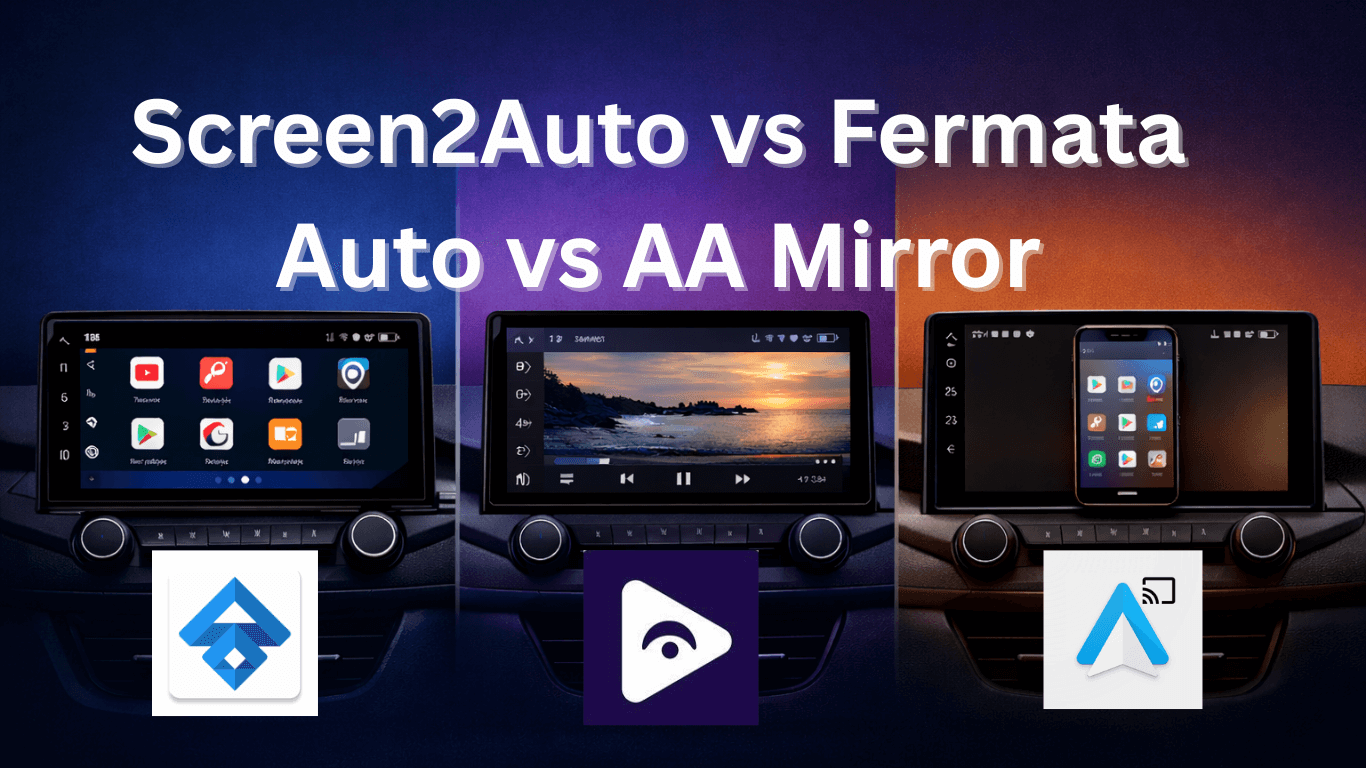
If you use Android Auto regularly, you’ve probably noticed that it’s quite limited. The platform is designed mainly for navigation, music, and calls. Apps like YouTube, Netflix, or screen mirroring tools are blocked because Google wants to reduce distractions while driving.
However, many Android Auto users still look for ways to unlock more features, especially when the car is parked. This is where third party apps like Screen2Auto, Fermata Auto, and AA Mirror come in.
Each of these apps allows you to access features that Android Auto normally restricts, such as video playback or screen mirroring. But they work in very different ways.
In this comparison guide, we’ll look at Screen2Auto vs. Fermata Auto vs. AA Mirror to understand their features, performance, ease of use, and which one works best in 2026.
Why Screen Mirroring Apps are popular on Android Auto
Drivers and passengers often want extra functionality, such as:
- Watching videos while parked.
- Using apps not supported by Android Auto.
- Streaming local media files from the phone.
- Accessing a full phone interface on the car screen.
Third party apps like Screen2Auto, Fermata Auto, and AA Mirror are designed to meet these needs, offering varying levels of functionality and user experience.
Overview of Screen2Auto, Fermata Auto, and AA Mirror
| Feature | Screen2Auto | Fermata Auto | AA Mirror |
|---|---|---|---|
| Main Purpose | App launcher | Media player | Screen mirroring |
| Video Streaming | Yes | Yes | Yes |
| Local Video Playback | Yes | Yes | No |
| App Launch Support | Yes | Limited | No |
| Screen Mirroring | Yes | Limited | Yes |
| Root Requirement | Sometimes | Rarely | Sometimes |
| Interface Optimization | Medium | High | Low |
While Screen2Auto focuses on flexibility, Fermata Auto emphasizes smooth video playback, and AA Mirror offers a lightweight mirroring solution.
1. Screen2Auto: Full Android Screen Mirroring

Screen2Auto is a powerful Android Auto modification that works almost like a mini Android launcher inside your car display.
Instead of only mirroring your phone screen, it allows users to launch many Android apps directly from Android Auto. This includes media players, browsers, video apps, and other tools that are normally blocked.
Because of its flexibility, Screen2Auto has become a favorite among advanced Android Auto users.
Key Features of Screen2Auto Launch Android apps directly on the car screen
- Built in app launcher for Android Auto.
- Video streaming support.
- Screen mirroring functionality.
- Customizable interface and layout.
- Compatibility with many Android Auto versions.
Screen2Auto offers a lot of freedom, but the installation process may be more complex compared to other tools.
Screen2Auto Pros and Cons
| Screen2Auto Pros | Screen2Auto Cons |
|---|---|
| Allows launching many Android apps directly on the car screen | Installation can be complicated for beginners |
| Supports video streaming from multiple apps | May require root access on some devices |
| Highly customizable interface and layout | Performance can vary depending on phone and car system |
| Works like a mini Android launcher inside Android Auto | Not officially supported by Google, may get restricted |
| Gives advanced users maximum control over apps and features | Some features may require additional setup or plug‑ins |
Installation Guide: Screen2Auto
Installing Screen2Auto requires a few preparation steps because the app is not available on the Google Play Store.
Step 1: Enable Developer Settings
- Open Android Auto settings.
- Tap the version number multiple times.
- Enable Developer Mode.
Step 2: Allow Unknown Sources
- Go to Android phone settings.
- Enable installation from unknown sources.
Step 3: Download Screen2Auto
- Download the latest Screen2Auto APK.
- Install the file on your phone.
Step 4: Connect to Android Auto
- Connect your phone to the car.
- Launch Android Auto.
- Open Screen2Auto from the app list.
2. What is Fermata Auto?
Fermata Auto is primarily designed as a media player for Android Auto. Instead of launching many different apps, it focuses on video playback and streaming features.
Many users install Fermata Auto because it allows them to:
- Watch videos stored on their phone.
- Stream IPTV channels.
- Play media files through Android Auto.
Compared to launcher style apps, Fermata Auto usually offers a cleaner and more stable interface.
Key Features of Fermata Auto Local video playback:
- IPTV streaming support.
- Android Auto optimized interface.
- Media playback controls.
- Customizable themes.
- Add on support for additional features.
For users who mainly want to watch videos while parked, Fermata Auto is often the most practical option.
Fermata Auto Pros and Cons
| Fermata Auto Pros | Fermata Auto Cons |
|---|---|
| Excellent video playback and media support | Limited to media and video functions |
| Clean and easy‑to‑use interface | Not available on Google Play Store |
| Works smoothly on most Android Auto systems | Some features require manual add‑ons |
| Supports multiple video formats | Installation requires sideloading |
| Ideal for users who want media playback only | Does not support full Android app launching |
Installation Guide: Fermata Auto
Step 1: Download & Install Fermata Auto
Navigate to the official Fermata Auto installation page.
If using a PC, scan the QR code with your Android phone.
Check compatibility with your Android version.
Step 2: Open in Chrome Browser
Ensure the page opens in Chrome.
Tap Fermata Auto Installation.
Allow installation from unknown sources if prompted.
Step 3: Confirm Installation
Tap Install in the installation popup.
Optional: Add shortcut via Chrome → Add to Home Screen
Wait for installation to finish.
Step 4: Complete Setup
Open the Fermata Auto app.
Follow in app instructions.
Connect to Android Auto and start using the app.
3. What is AA Mirror?
AA Mirror is a screen mirroring tool for Android Auto.
Instead of launching apps within Android Auto, AA Mirror simply mirrors the entire phone screen onto the car display.
This means whatever you see on your phone will also appear on the infotainment screen.
Key Features of AA Mirror Mirror entire phone screen:
- Use almost any mobile app.
- Lightweight application.
- Simple user interface.
AA Mirror is often used by people who want basic mirroring without complicated setups.
AA Mirror Pros and Cons
| AA Mirror Pros | AA Mirror Cons |
|---|---|
| Simple and lightweight screen mirroring tool | Touch controls may not always work perfectly |
| Mirrors almost any mobile app to the car screen | Not optimized for Android Auto layout |
| Quick and straightforward installation | May require root access on some devices |
| Works with many Android Auto systems | Performance depends on phone hardware |
| Easy for basic screen mirroring needs | Not ideal for advanced customization |
Installation Guide: AA Mirror
Step 1: Enable Developer Mode
Open Android Auto settings.
Enable Developer Mode.
Step 2: Download AA Mirror APK
Download the AA Mirror APK.
Install it manually on your phone.
Step 3: Grant Permissions
Allow screen mirroring permissions.
Enable required accessibility permissions.
Step 4: Launch with Android Auto
Connect phone to the car.
Open AA Mirror from Android Auto.
Screen2Auto vs Fermata Auto vs AA Mirror (Feature Comparison)
| Feature | Screen2Auto | Fermata Auto | AA Mirror |
|---|---|---|---|
| Full Phone Screen Mirroring | Yes | Limited | Yes |
| Video Playback | Yes | Yes | Yes |
| Media Streaming | Basic | Excellent | Basic |
| App Launcher | Yes | No | No |
| Customization | High | Medium | Low |
| Installation Difficulty | Medium-High | Easy | Medium |
| Root Required | Sometimes | Usually No | Sometimes |
| Android Auto Integration | Moderate | Excellent | Moderate |
Installation Difficulty Comparison
| Installation Factor | Screen2Auto | Fermata Auto | AA Mirror |
|---|---|---|---|
| Installation Complexity | Medium-High | Easy | Medium |
| Extra Permissions | Often Needed | Minimal | Sometimes Needed |
| Root Required | Sometimes | Usually No | Sometimes |
| Setup Time | Moderate | Fast | Moderate |
Performance Comparison
Performance is an important factor when choosing a screen mirroring Android Auto app.
Screen2Auto Performance
Screen2Auto can mirror the entire phone screen, but performance depends on:
- Phone hardware.
- Android version.
- Car head unit compatibility.
Some users experience slight lag during screen mirroring, especially when running heavy apps.
Fermata Auto Performance
Fermata Auto is optimized specifically for media playback, which makes it smoother when playing videos.
Benefits include:
- Faster loading times.
- Stable video playback.
- Better Android Auto compatibility.
For users mainly interested in watching videos while parked, Fermata Auto usually performs better.
AA Mirror Performance
AA Mirror provides basic mirroring, but performance can vary depending on:
- Android Auto version.
- Device compatibility.
- Installation setup.
Some users report connection issues or occasional crashes, especially on newer Android versions.
Ease of Use Comparison
Another major factor in the Screen2Auto vs Fermata Auto comparison is ease of use.
Screen2Auto Pros:
- Powerful customization.
- Supports many apps.
Cons:
- Installation may require root.
- Setup can be complicated.
- Screen2Auto is better suited for advanced Android users.
Fermata Auto Pros:
- Easy installation.
- Clean user interface.
- Designed specifically for Android Auto.
Cons:
- Limited screen mirroring.
- Fermata Auto is ideal for beginners and casual users.
AA Mirror Pros:
- Simple concept.
- Lightweight app.
Cons:
- Root often required.
- Fewer updates compared to other apps.
- AA Mirror works best for users who only need basic screen mirroring.
Safety Considerations
It’s important to remember that Android Auto restricts video playback for safety reasons.
Watching videos or mirroring apps while driving can be dangerous.
Most users typically use these apps when:
- The car is parked.
- Waiting in the car.
- During long trips as a passenger.
Always follow local road safety laws and use these tools responsibly.
Frequently Asked Questions
- What is the best screen mirror app for Android Auto?
The best app depends on your needs. Screen2Auto offers full phone mirroring, Fermata Auto focuses on media playback, and AA Mirror provides simple mirroring functionality.
- Does Android Auto officially support screen mirroring?
No. Android Auto does not officially support full screen mirroring. Third party apps are used to enable this functionality.
- Is Fermata Auto better than Screen2Auto?
Fermata Auto is better for video playback and media streaming, while Screen2Auto is better for full phone screen mirroring and running additional apps.
- Do these apps require root access?
Some setups may require root access depending on the Android version and device. However, many users can run Fermata Auto without rooting their phone.
- Can I watch videos on Android Auto using these apps?
Yes. some apps allow video playback, but they are typically used when the vehicle is parked.
- Which app is easiest to use?
Fermata Auto is generally considered the easiest to install and use because it is designed specifically for media playback within Android Auto.