Android Auto on Tablets: Is It Possible?
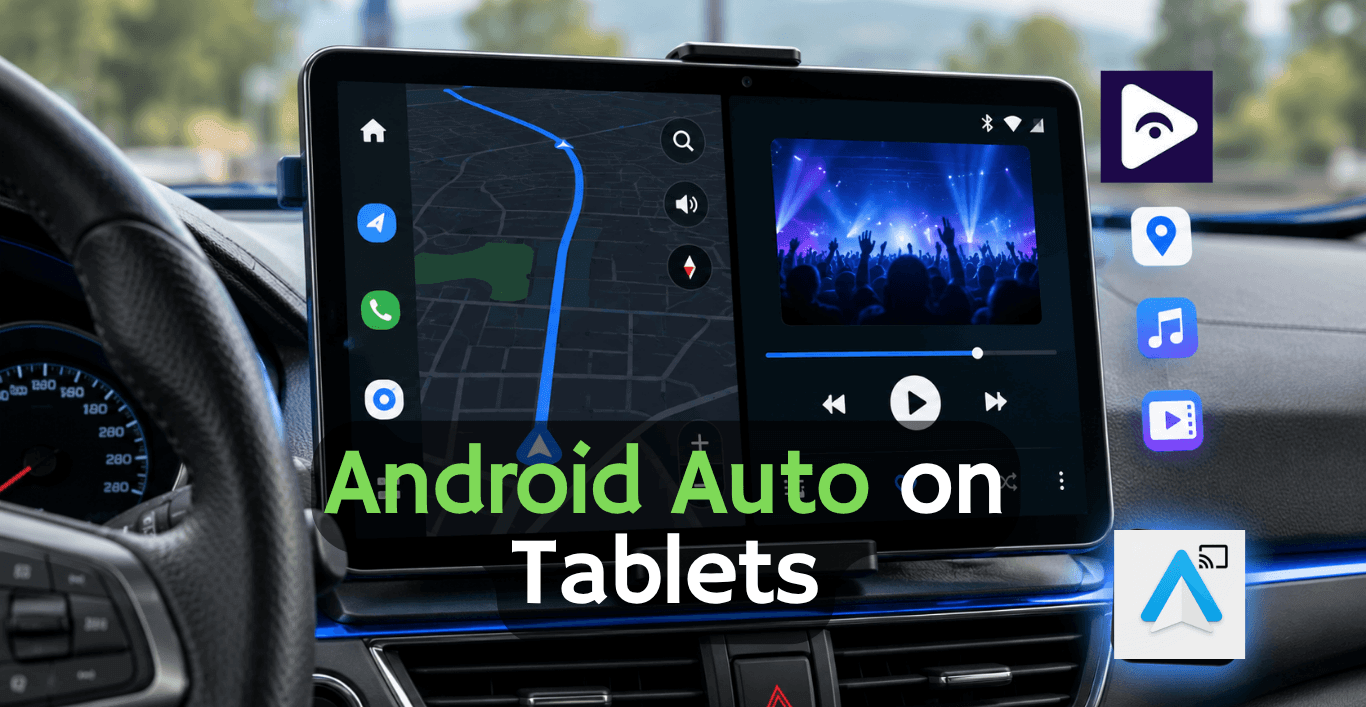
It depends on what you want to do with it. A regular Android tablet does not work the way as an Android Auto stereo system but there are ways to make a powerful car system using an Android tablet.
If you set it up right an Android tablet can be a screen for your car that you can use for maps, music videos you have on the tablet and video streaming from the internet using tools like Fermata Auto.
Can You Use Android Auto on a Tablet?
The short answer is: not directly in the same way as a car display.
Most Android tablets do not support Android Auto. Because they are not built to act as an Android Auto head unit.
However, this does not mean a tablet is useless in your car.
Many users install an Android tablet car stereo setup by mounting a tablet on the dashboard and using it as a standalone Android device. This gives you more freedom compared to traditional Android Auto systems.
You can use:
- Navigation apps
- Music streaming apps
- Offline media players
- YouTube and video apps
- Bluetooth audio
- Car camera apps
- Entertainment apps
Android Tablet vs Traditional Android Auto Setup
| Feature | Traditional Android Auto | Android Tablet Car Setup |
|---|---|---|
| Display Size | Limited to your car's screen | Choose 8", 10", or 12"+ tablets |
| App Installation | Only Android Auto supported apps | Install almost any Android app |
| Navigation | Excellent | Excellent with built-in GPS |
| Video Playback | Very limited | Supports local videos and apps like Fermata Auto |
| Customization | Basic | Highly customizable |
| Works Without Compatible Car | No | Yes |
| Installation Cost | Usually higher | Usually lower if you already own a tablet |
| Best For | Factory-like driving experience | Entertainment, larger screen, and greater flexibility |
Benefits of using an Android Tablet for Car Stereo
A dedicated tablet for car stereo installation has become popular among drivers who want more features without changing their vehicle’s original system.
- Bigger Display
Many factory screens are small, especially in older vehicles.
- Android tablets can provide 8-inch, 10-inch, or larger.
- Easier navigation viewing.
- Better video playback.
- More comfortable touch controls.
- Improved entertainment experience.
A larger screen is especially useful for SUVs, trucks, and vehicles with limited infotainment features.
- Install Apps Directly
Unlike Android Auto, where your phone controls the experience, a tablet runs Android apps directly.
You can install:
- Navigation apps
- Music players
- Video apps
- File managers
- Streaming tools
This makes an android tablet car stereo setup much more flexible.
- Better Entertainment Options
Many drivers put in tablets because they want more, than getting directions and listening to songs.
For example when the car is stopped people inside can use the tablet for:
- YouTube videos
- Movies
- Offline video files
- Online streaming services
This is where Fermata Auto becomes useful.
Fermata Auto allows Android users to access additional video playback features in their car setup, including playing local media files and supporting streaming content.
Expand Your Car Experience with Fermata Auto
If you are already using an Android tablet in your car you do not have to stop at navigation and music. Fermata Auto gives you ways to enjoy your Android tablet making your Android tablet a better entertainment screen whenever your car is parked.
For example, if you're waiting to pick someone up, taking a break on a road trip, or charging your EV, you can open Fermata Auto and enjoy your favorite content on the larger tablet display.
With Fermata Auto on Android Auto, you can:
- Watch YouTube videos on your tablet.
- Stream Netflix and other supported video services.
- Play movies and videos saved on your device.
- Listen to music from your local storage.
- Keep all your media in one simple app.
- Make better use of your tablet's large display.
If you're planning to build an Android tablet car setup, Fermata Auto is a great addition. It gives you more entertainment options than a standard Android Auto system and helps you get the most from your tablet.
Android Tablet + Fermata Auto vs Regular Android Auto
| Feature | Regular Android Auto | Android Tablet + Fermata Auto |
|---|---|---|
| Setup Method | Connect Android phone to a compatible car display | Use an Android tablet as a standalone car entertainment screen |
| Navigation Apps | Yes (Google Maps, Waze, and supported apps) | Yes (install navigation apps directly on the tablet) |
| Music Apps | Yes (Spotify, YouTube Music, Amazon Music, etc.) | Yes, with full Android app support |
| Install Android Apps | Limited to Android Auto compatible apps | Full access to Android apps from the tablet |
| Video Playback | Not supported while connected to Android Auto | Available through Fermata Auto when parked |
| Local Video Files | No direct support | Play stored videos from tablet storage or external storage |
| Screen Size Options | Limited by factory car display | Choose from different tablet sizes (8-inch, 10-inch, 12-inch) |
| Customization | Limited interface customization | Customize apps, widgets, wallpapers, and layout |
| Works With Older Cars | Requires Android Auto compatible head unit | Works with almost any vehicle with power and audio connection |
| Entertainment Features | Mainly focused on driving functions | Designed for a wider entertainment experience |
| Best For | Drivers who need safe navigation and hands-free controls | Users who want a smart tablet car stereo with extra media features |
Explore more : Best Android Auto Wireless Adapters
Common Problems with Tablet Car Setups
- Tablet Does Not Connect to Car Audio
Possible causes:
- Bluetooth pairing issue.
- Wrong audio output selected.
- Car stereo does not support the connection method.
Fix:
- Remove old Bluetooth connections.
- Pair the tablet again.
- Check tablet audio settings.
- Tablet Battery Drains Quickly
A dashboard tablet can consume power continuously.
Solutions:
- Use a quality car charger.
- Enable battery saving settings.
- Reduce screen brightness when possible.
- Tablet Overheats in the Car
Cars can become extremely hot, especially under direct sunlight.
Solutions:
- Avoid leaving the tablet in direct sun.
- Use a quality mount.
- Remove the tablet when parked for long periods.
Frequently Asked Questions
1. Can I install Android Auto on a tablet?
No. Android Auto is made to connect your phone to a car screen that's compatible. It is not designed to run on a tablet like any other app.
2. Can I use an Android tablet as a car stereo?
Yes. You can use an Android tablet as a car screen for music and other things. You can connect it to your car speakers using Bluetooth.
3. What is the best tablet for a car setup?
You should choose a tablet with a screen, enough storage, Bluetooth and reliable charging. A tablet that is 8-inch to 12-inch is a size for most cars.
4. Can I watch YouTube on an Android tablet in my car?
Yes. You can watch YouTube on an Android tablet. For safety you should only use video apps when the vehicle is parked.
5. Does Fermata Auto work on Android tablets?
Yes. Fermata Auto works on Android tablets and helps add more media features to your Android tablet car setup.
6. Can a tablet replace my factory car screen?
Yes. in cases an Android tablet can be used as an extra car display for maps, music, videos and other Android tablet apps.
7. Do I need the internet for a car setup?
Not always you can play saved music and videos without the internet. Online apps need a connection to the internet.
8. Can I use Netflix on an Android tablet in my car?
An Android tablet gives you app options than regular Android Auto. Netflix support depends on your Android tablet device and app compatibility.
9. Is an Android tablet better than a new car stereo?
Yes. An Android tablet can be better & cheaper. Gives you more freedom to install Android tablet apps and customize your Android tablet setup.
10. How do I turn my Android tablet into a car entertainment system?
You need to mount the Android tablet, connect it to your car audio system, install Android tablet apps and add tools like Fermata Auto for more entertainment features, on your Android tablet.
![How to Use Google Maps on Android Auto [Fermata Auto]](/content/images/size/w600/2026/07/google-map.png)