Toyota Android Auto Video: RAV4, Camry & Highlander Complete Setup Guide (2026)

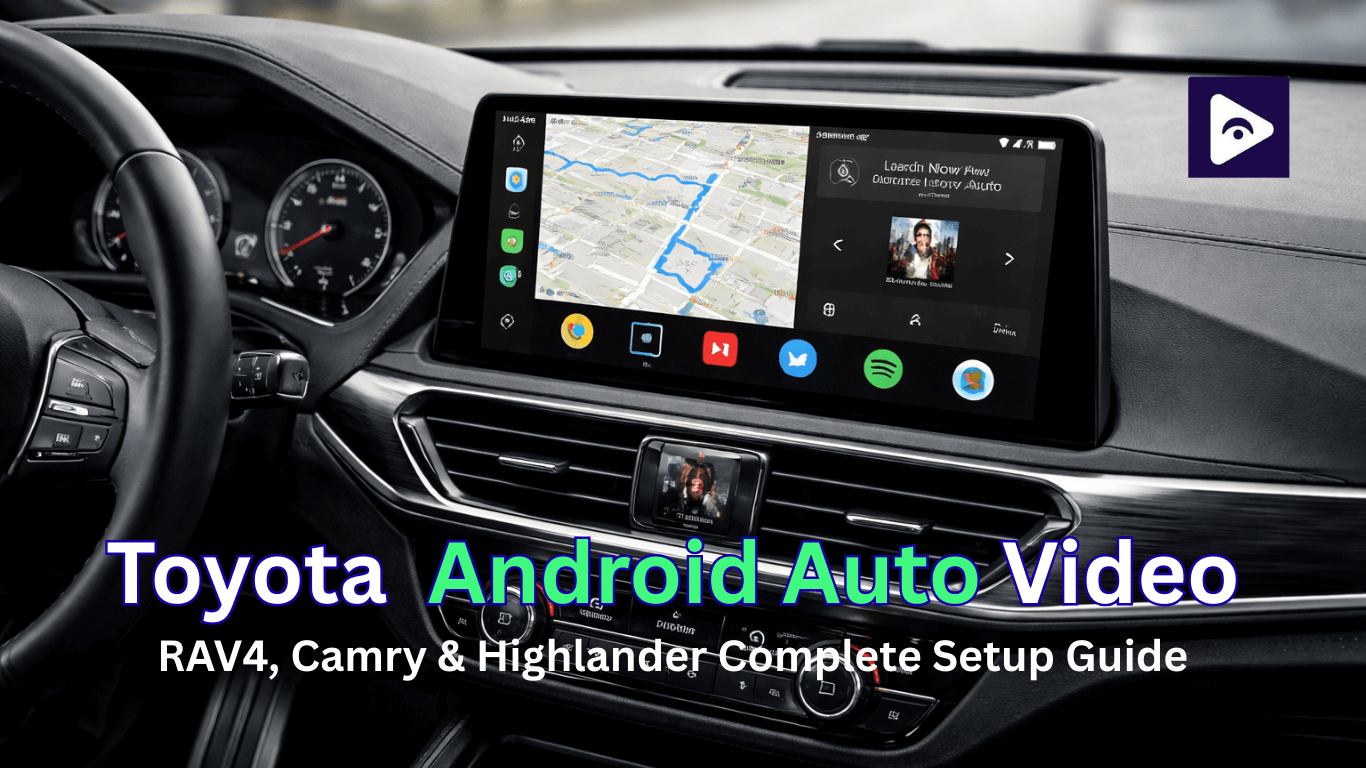
If you’re searching for Toyota Android Auto video, you’re likely trying to figure out whether you can stream YouTube or other video apps on your Toyota’s infotainment screen. This guide is written specifically for Toyota owners who drive a RAV4, Camry, or Highlander and want clear, practical answers.
We’ll cover:
- How Toyota handles Android Auto video.
- Differences between Audio Plus and Premium Audio.
- Model year compatibility (RAV4, Camry, Highlander).
- Toyota Entune video limitations.
- Toyota Fermata setup (parked use).
- Comparison charts.
- Important technical details most owners overlook.
- FAQs.
What is Toyota Android Auto?
Android Auto is a system developed by Google that connects your Android phone to your car’s infotainment screen.
In Toyota cars, Android Auto allows you to:
- Use Google Maps or Waze.
- Make hands free calls.
- Send voice messages.
- Play music through Spotify or YouTube Music.
- Use Google Assistant.
It is designed mainly for driving convenience and safety not entertainment streaming.
That’s why video apps are restricted.
Toyota Android Auto Video Restrictions
The first thing you need to know is this:
Toyota does not officially support video playback through Android Auto.
This restriction is intentional and applies across nearly all models. The reason behind this policy includes:
- Driver Safety.
- Legal Regulations.
- Manufacturer Liability.
Android Auto as a platform supports video playback on smartphones. However, Toyota blocks video projection at the infotainment system level. That means even if your phone can run YouTube or Netflix, the Toyota screen will not display those apps through standard Android Auto.
This policy applies to:
- Toyota RAV4.
- Toyota Camry.
- Toyota Highlander.
- Both Audio Plus and Premium Audio systems.
Audio Plus vs Premium Audio (Toyota Audio Systems)
Before discussing Toyota Android Auto video further, it’s important to understand your infotainment system type.
Most RAV4, Camry, and Highlander models come with either:
- Audio Plus
- Premium Audio (JBL system)
Let’s compare them.
Toyota Audio Plus System
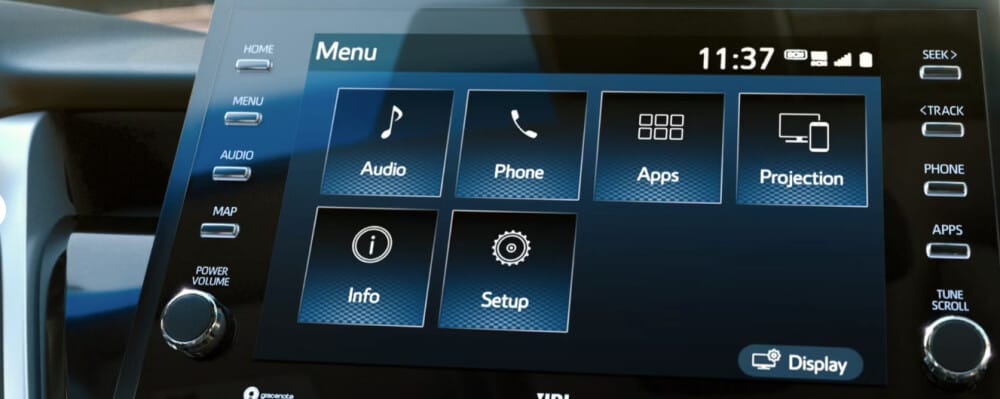
Audio Plus is the standard infotainment system found in base and mid trims.
Key Features:
- 7-inch or 8-inch touchscreen.
- Wired Android Auto (most 2020–2022 models).
- Basic speaker system.
- Bluetooth connectivity.
- USB integration.
Toyota Android Auto Video Status:
- Navigation apps: Supported.
- Music streaming apps: Supported.
- Messaging apps: Supported.
- Video apps: Not supported.
Even though the system runs Android Auto smoothly, video playback remains blocked.
Toyota Premium Audio (JBL System)
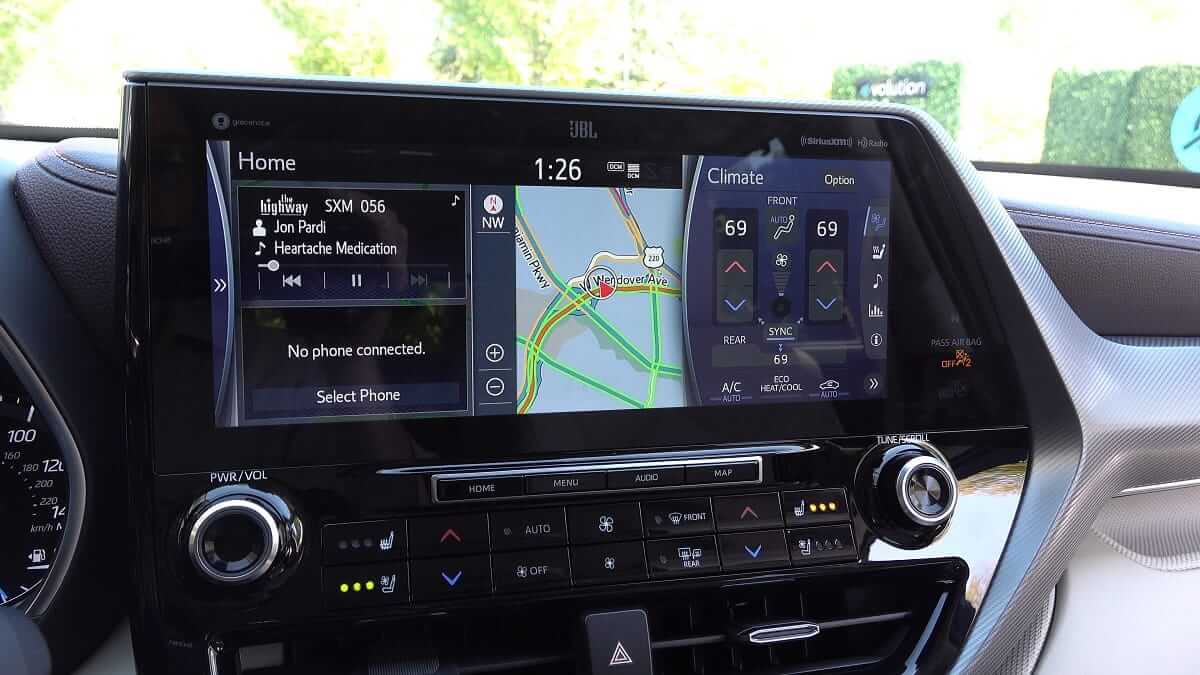
Premium Audio systems are typically available in higher trims and include JBL branding.
Key Features:
- 9 inch or 12.3 inch display.
- JBL speaker system.
- Built-in navigation.
- Wireless Android Auto (newer models).
- Enhanced graphics and smoother interface.
Toyota Android Auto Video Status:
Still not supported officially.
Many drivers assume that because the screen is larger and more advanced, video apps should work. However, Toyota applies the same restriction policy to both systems.
Audio Plus vs Premium Audio Comparison Chart
| Feature | Audio Plus | Premium Audio (JBL) |
|---|---|---|
| Screen Size | 7-8 inch | 9-12.3 inch |
| Speaker System | Standard | JBL Premium |
| Navigation | Usually No | Yes |
| Wireless Android Auto | Rare | Yes |
| Official Video | No | No |
Toyota Android Auto Compatibility by Model & Year
Now let’s look at RAV4, Camry, and Highlander individually.
Toyota RAV4 Android Auto Video Guide
2018 RAV4
- No Android Auto initially.
2019 - 2021 RAV4
- Wired Android Auto available.
- Entune system still active for music and navigation.
- Video streaming blocked (requires Fermata Auto for parked use).
2022 - 2026 RAV4
- Updated infotainment UI.
- Wireless Android Auto available on higher trims.
- Still no official video playback (Fermata Auto required for YouTube, Netflix, Prime Video, etc.).
- Software update required to enable Android Auto (dealer dependent).
- Toyota Entune system still present.
| Model Year | Android Auto | Wireless | Video |
|---|---|---|---|
| 2019 | Limited / Region | No | No |
| 2020–2022 | Yes (Wired) | No | No |
| 2023–2026 | Yes | Yes | No |
Even in 2026 models, Toyota Android Auto video remains blocked.
Toyota Camry Android Auto Video Guide
Highlander models, especially with the 12.3 inch screen, often create the impression that video streaming should work.
2018 Camry
- No Android Auto initially.
- Update required (dealer dependent).
2019 - 2021 Camry
- Wired Android Auto.
- Toyota Entune system still present.
2022 - 2026 Camry
- Updated infotainment UI.
- Wireless Android Auto in higher trims.
| Model Year | Android Auto | Wireless | Video |
|---|---|---|---|
| 2019 | Limited | No | No |
| 2020–2022 | Yes (Wired) | No | No |
| 2023–2026 | Yes | Yes | No |
No Camry trim officially allows video streaming via Android Auto.
Toyota Highlander Android Auto Video Guide
Highlander models, especially with the 12.3 inch screen, often create the impression that video streaming should work.
2019 Highlander
- Limited Android Auto support.
2020 - 2022 Highlander
- Standard Android Auto (wired).
2023 - 2026 Highlander
- 12.3” screen option.
- Wireless Android Auto in Premium trims.
| Model Year | Android Auto | Wireless | Video |
|---|---|---|---|
| 2019 | Limited | No | No |
| 2020–2022 | Yes (Wired) | No | No |
| 2023–2026 | Yes | Yes | No |
Again, screen size does not affect Toyota’s video restriction policy.
What Is Toyota Entune Video?
Toyota Entune was Toyota’s earlier infotainment system used before the updated multimedia platform.
Many drivers search for “Toyota Entune video,” assuming it might support streaming.
Important facts:
- Entune did not support YouTube streaming
- No Netflix app integration
- No browser-based video playback
- Limited third-party app compatibility
Toyota has phased out Entune in most markets and replaced it with a newer system, but video restrictions remain.
How Users Enable Toyota Android Auto Video
Now we move into what most drivers really want to know.
There are generally two categories:
- Hardware video interfaces.
- Software based solutions.
One of the most popular software approaches involves:
What is Fermata Auto?
Fermata Auto is an Android app that lets you access video and media apps on Toyota Android Auto while your car is parked. It allows streaming of YouTube, Netflix, Prime Video, and other compatible apps that are normally blocked by Toyota for safety reasons.
Toyota Fermata Setup – Step-by-Step Guide
Step 1 - Enable Android Auto Developer Mode
- Open Android Auto on your phone.
- Scroll to Version.
- Tap repeatedly until Developer Mode is activated.
- Open Developer Settings.
- Enable Unknown Sources to allow installation of third-party apps.
Step 2 - How to Install Fermata Auto (Step-by-Step Guide)
Installing Fermata Auto is quick and only takes a few minutes.
Step 1: Start Installation
Tap the button below:
If you're using a computer, a QR code will appear. Scan it with your Android phone to continue on your device.
Step 2: Open in Chrome
Make sure the page opens in Google Chrome on your phone. If not, switch to Chrome and tap the install button again.
Step 3: Install the App
A pop-up will appear. Tap Install and wait a few seconds while the app downloads.
Step 4: Open Fermata Auto
Once installed, find the app on your home screen or app drawer and open it. Tap the GET button inside the app to complete setup.
Step 5: Start Streaming
You’re ready to use it. You can stream supported apps and content directly.
Always use video features only while your car is parked.
Fermata Auto on Android Auto (Step-by-Step Full Guide)
Important Things to Know About Android Auto in Toyota
- Wireless connection uses more battery.
When you connect without a cable, the phone keeps both Wi-Fi and Bluetooth active the entire time. That extra activity drains the battery quicker than a wired connection.
- The USB cable makes a difference.
Connection problems are often caused by the cable, not the car. Low quality or damaged cables can lead to random disconnections, freezing, or a blank screen. Using a good quality data cable usually solves this.
- Phone performance affects the experience.
If the phone is older or has limited memory, the system may feel slow. Apps can lag, and switching between maps and music may not be smooth.
- Updates matter.
Software updates on your phone or the car system can improve compatibility. If something suddenly stops working after an update, it’s usually a version mismatch that needs attention.
- Availability depends on the region.
Android Auto was introduced at different times in different markets. Because of that, features and support can vary depending on where the car was sold.
- Screen size does not change restrictions.
Even Toyota models with large displays follow the same software rules. Video apps remain blocked regardless of how big the screen is.
Common Android Auto Video Issues & Fixes
| Problem | Possible Cause | Recommended Fix |
|---|---|---|
| App Not Showing | Developer Mode Disabled | Enable Unknown Sources |
| Black Screen | Low Quality USB Cable | Use Certified Cable |
| Lag or Freezing | Low Phone RAM | Close Background Apps |
| Random Disconnect | Overheating | Let Device Cool Down |
| No Audio | Audio Output Setting | Check Media Volume Settings |
FAQs on Android Auto Videos
- Can I watch videos on Toyota Android Auto?
No. Toyota does not officially support video playback on Android Auto.
- Why does Toyota block video apps?
To reduce driver distraction and follow Android Auto safety guidelines.
- Does wireless Android Auto allow video streaming?
No. Wireless and wired connections have the same restrictions.
- Can I watch YouTube on Toyota Android Auto?
No. YouTube and other streaming apps are blocked by default.
- Do all Toyota models block Android Auto videos?
Yes. Video playback is restricted across supported Toyota models.
- Can a Toyota dealership unlock video streaming?
No. Dealerships do not provide official video unlocking.
- Does Toyota Entune support video apps?
No. Entune was designed for navigation and music, not video streaming.
- Does screen size enable video playback?
No. Larger screens do not remove Android Auto video restrictions.
- Will a software update enable video apps?
No official Toyota update enables video streaming in Android Auto.
- Can I use Fermata Auto on Toyota RAV4?
Yes, many users install Fermata Auto on compatible Android devices and use it with RAV4 models that support Android Auto. However, video should only be played while parked.